Refer a student to the MTSS team
A step-by-step guide for teachers and staff to refer a student to the MTSS team for support.
Start here when a student needs support beyond what you can provide in class. Referring a student tells the MTSS team what you are seeing and books the first meeting to talk it through.
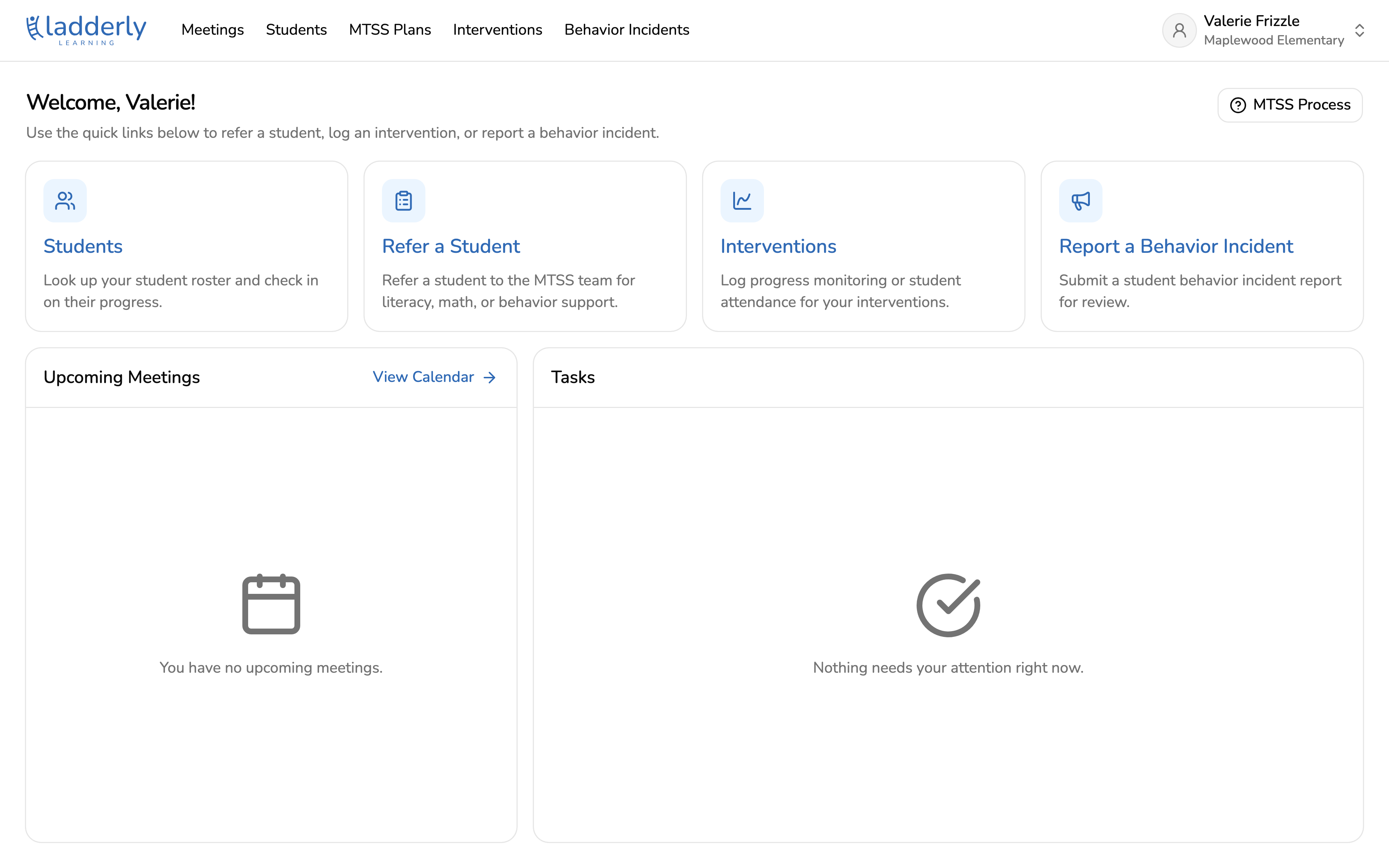
1. Start from your home page
Choose Refer a Student from the quick links. You can also reach this from MTSS Plans in the top navigation.
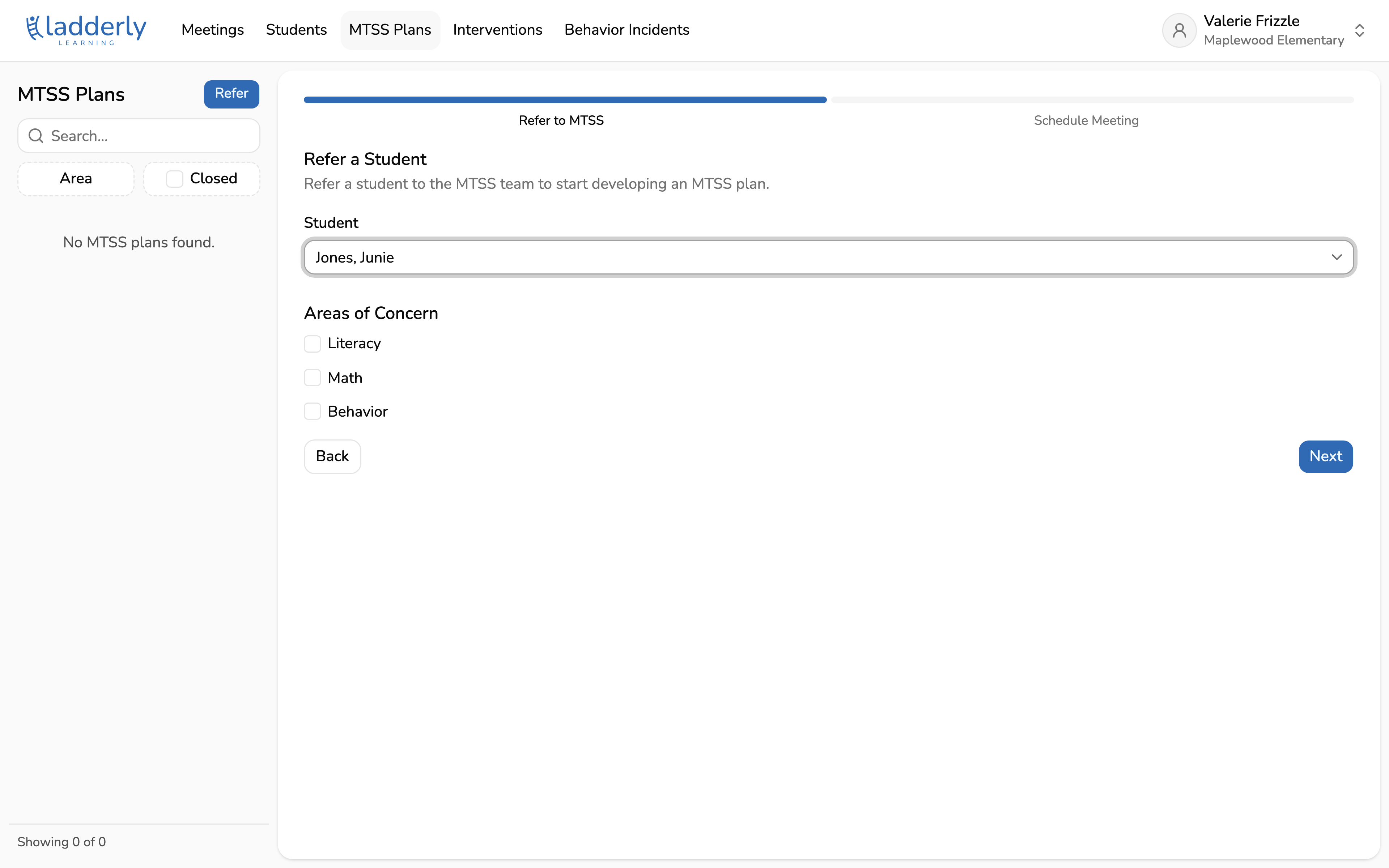
2. Pick the student
Type any part of the student's name and choose them from the list. You will only see students on your own roster.
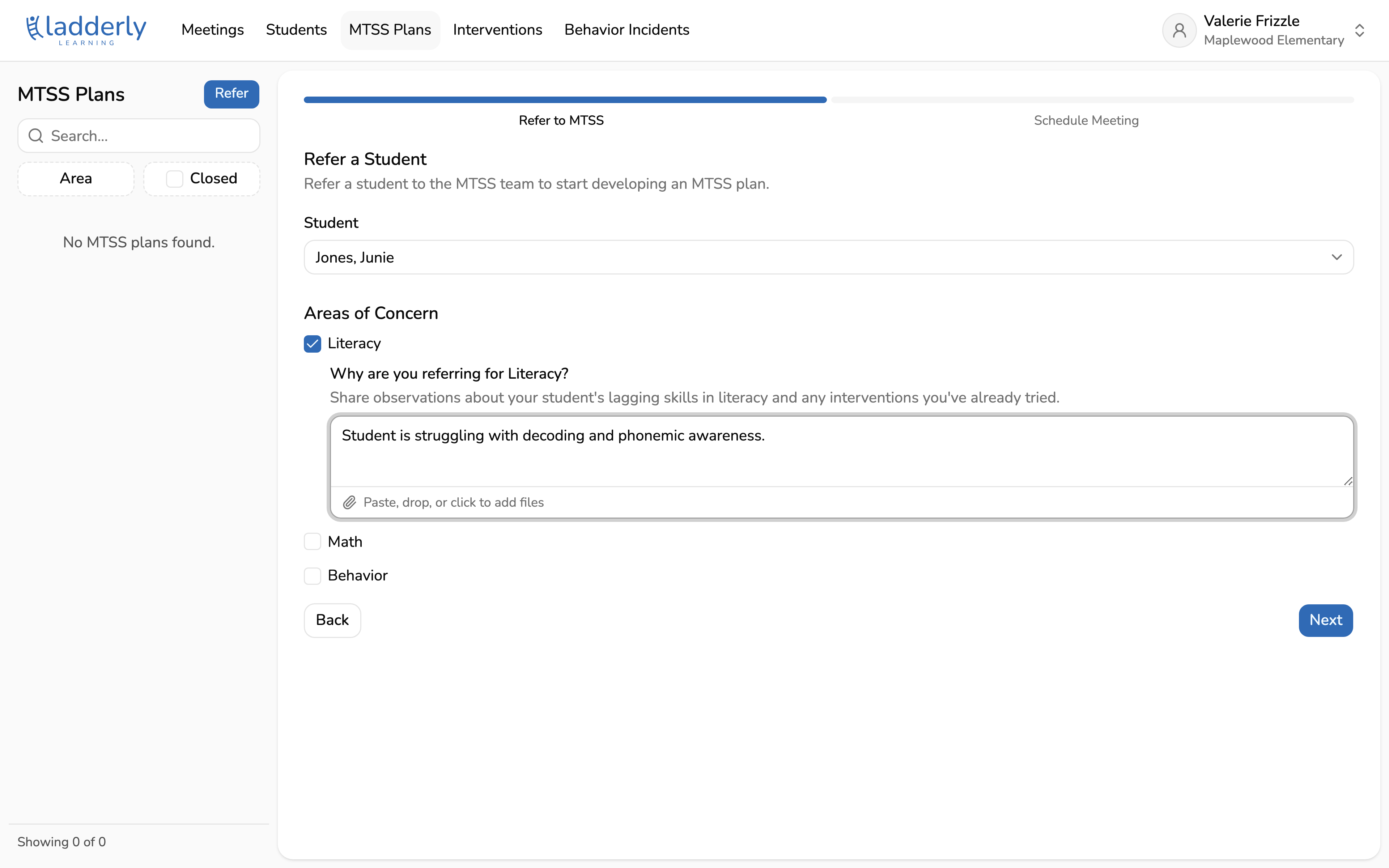
3. Choose the areas of concern
Tick every area you are worried about. Each one you tick opens its own box to explain why. If your school runs separate academic and behavior MTSS teams, submit behavior concerns as their own referral.
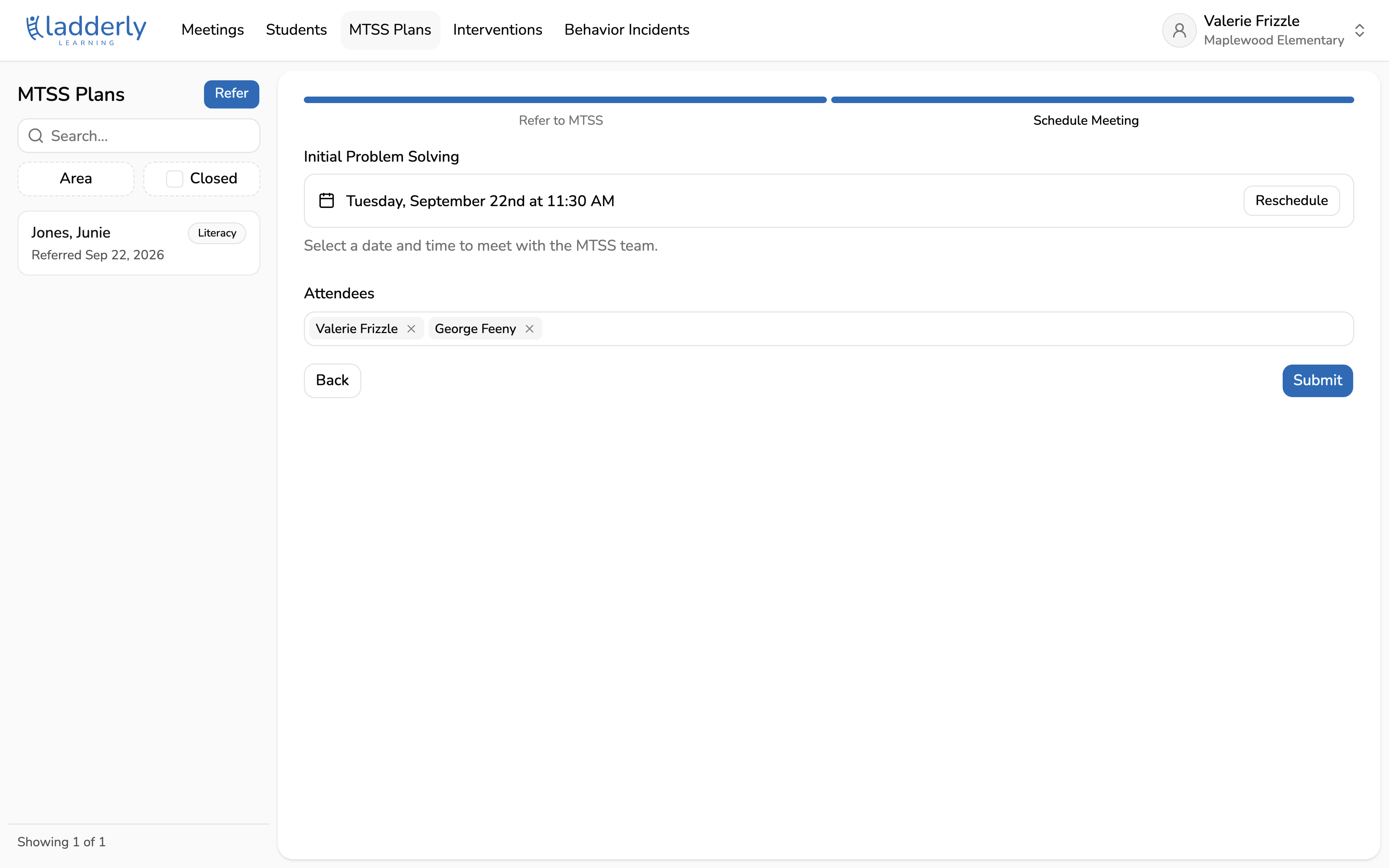
4. Check the meeting time
The first open slot on the MTSS team's calendar is picked for you. Choose Reschedule to pick a different one. Attendees are filled in automatically: you, the student's teacher, and the MTSS team.
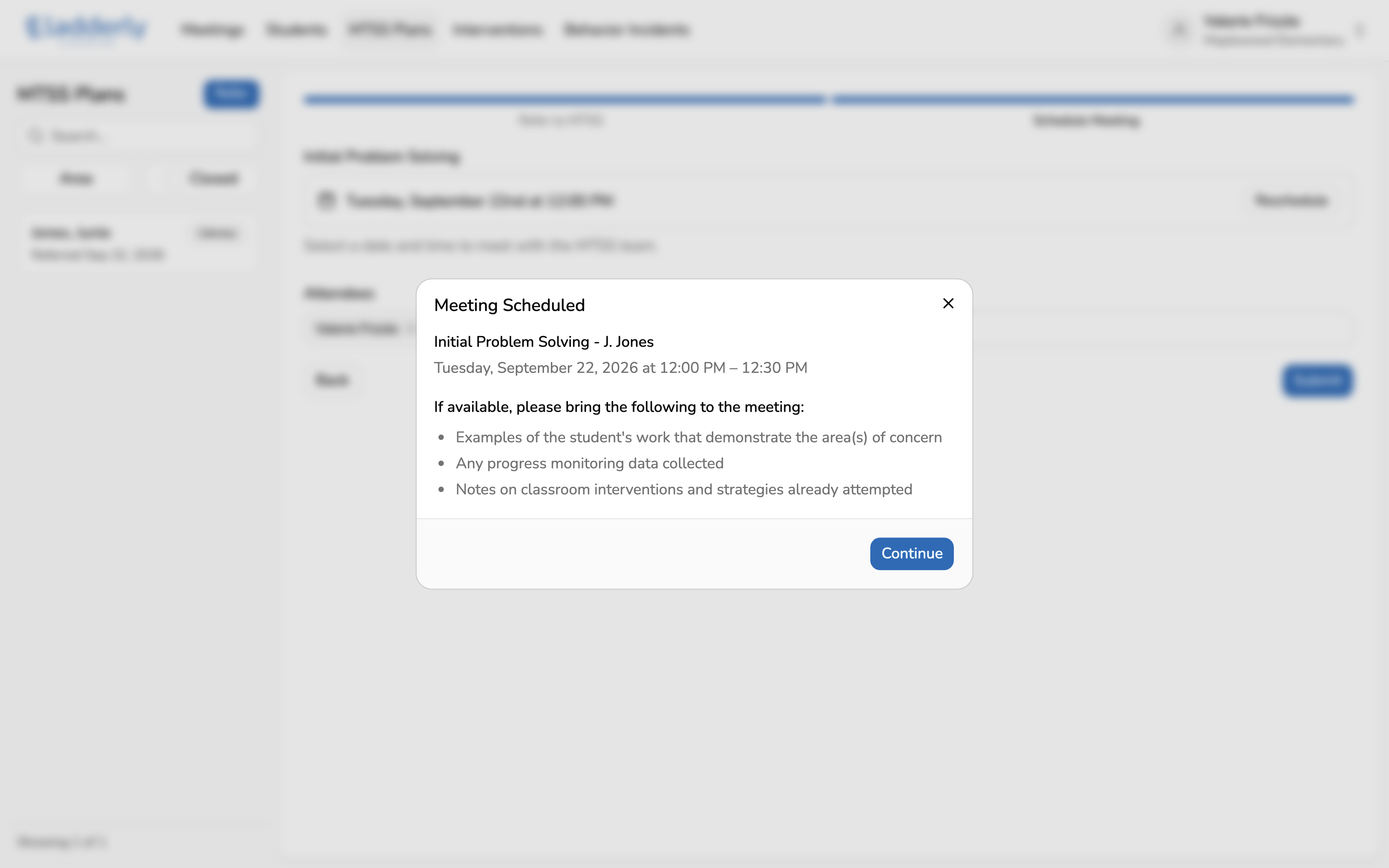
5. Bring these to the meeting
Everyone invited gets a calendar invitation. The confirmation lists what to bring.
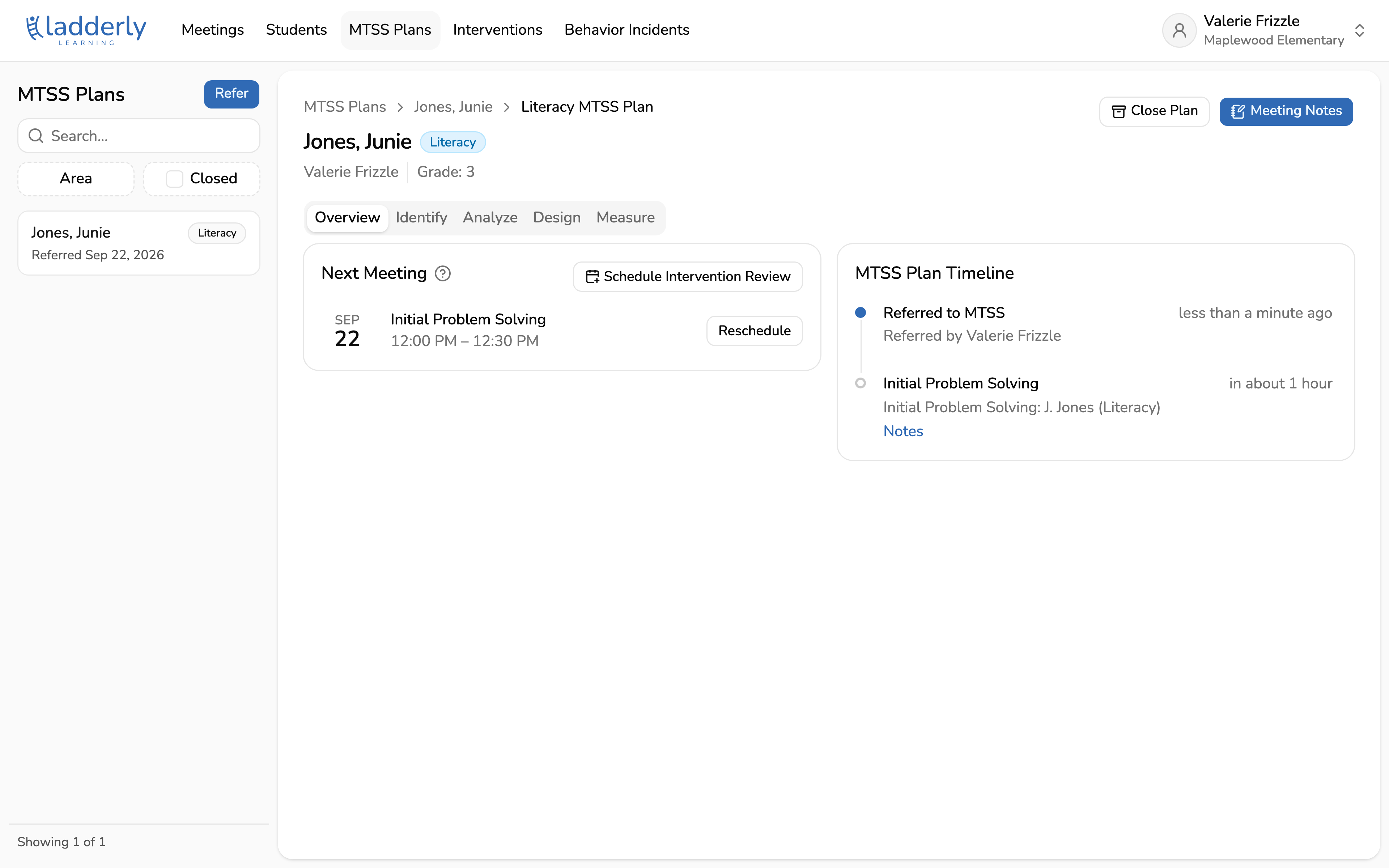
6. Follow the plan from here
The MTSS plan page is where the work happens from now on. The timeline tracks every step, and the tabs across the top follow the MTSS process: Identify, Analyze, Design, Measure.